Wise Agent CRM Review: Is It a Good Fit in 2026?
Wise Agent CRM review for 2026: current pricing, real estate workflows, texting, integrations, team costs, and trial questions.
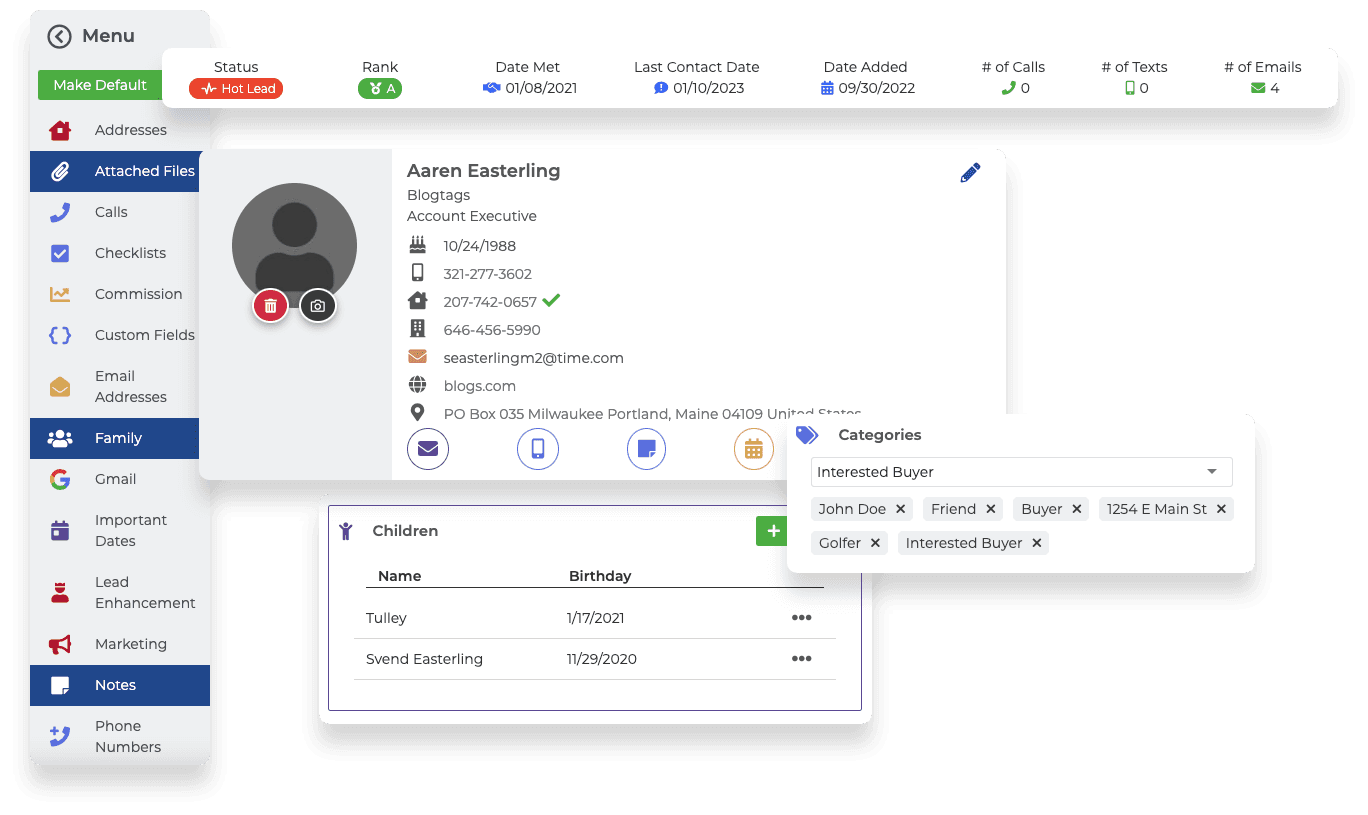
Wise Agent is a real-estate-focused CRM built around contacts, lead automation, transactions, marketing, and team workflows. Its flat-rate structure can be attractive to solo agents and small teams, but texting, separate logins, add-ons, and actual day-to-day usability deserve a hands-on trial.
Key takeaways
- Wise Agent’s public CRM price is $49 monthly, $42 monthly when billed annually, or $499 annually, with a 14-day trial.
- The platform covers contact and lead management, transaction tools, campaigns, landing pages, reporting, and team workflows.
- Shared team members are included, while separate logins, extra members, texting, and other add-ons can change the total cost.
Current pricing and team cost
Wise Agent’s public pricing page checked September 19, 2026 lists the CRM at $49 per month, $42 per month billed annually, or $499 per year. A 14-day trial is listed, and up to five team members can use a shared login. Separate logins cost $20 each, additional team members are sold in batches of five for $20 per month, and WiseText is listed at $11 per month plus a one-time $80 registration fee for 1,000 credits.
| Plan or add-on | Public price checked | What to confirm |
|---|---|---|
| CRM | $49 monthly; $42 monthly annual billing; $499 annually | Included users, billing cadence, cancellation, and trial terms |
| Extra team members | $20/month per batch of 5 | Whether shared access or individual permissions fit the team |
| Extra login | $20 per login | Permissions, audit trail, and who needs a unique login |
| WiseText | $11/month + $80 one-time registration for 1,000 credits | Consent, deliverability, message limits, and usage |
| WiseSocial | $59/month annual billing on the CRM + WiseSocial plan | Whether social scheduling is actually needed |
Contact management and lead automation
Wise Agent’s feature documentation describes lead capture, contact management, lead rules and distribution, automated follow-up, drip campaigns, tasks, and communication history. Test whether a new inquiry can be captured, assigned, tagged, and placed into the right sequence without duplicate entry or unclear ownership.
- Lead capture and routing
- Custom fields, tags, and contact history
- Drip campaigns and follow-up triggers
- Task reminders and next-action visibility
Transaction management
Transaction checklists, templates, document storage, commission reports, and checklist triggers can keep a deal moving from contract to close. Adapt the templates to the brokerage’s actual milestones, responsibilities, compliance rules, and document system rather than assuming a generic checklist is enough.
Email, text, and marketing
The platform lists email and text communication, newsletters, marketing tools, landing pages, and campaign automation. WiseText is a separate add-on on the public pricing page, so verify opt-in controls, message ownership, deliverability, credits, templates, and reporting before using text follow-up with leads.
Teams, calendars, and integrations
Wise Agent documents team-friendly calendars, shared leads, lead assignment, permissions, reporting, and integrations with more than 100 apps and platforms. Ask which connections are native, how fields and activity sync, whether the sync is one- or two-way, and what happens to historical data when a connection is removed.
Mobile and everyday usability
A CRM review should include the work an agent does between appointments: checking the next task, logging a call, adding a note, finding a contact, updating a transaction, and responding to a lead. Use the trial with real but non-sensitive sample data and test the mobile workflow rather than relying on old ratings or testimonials.
Who Wise Agent may fit
Wise Agent may fit a solo agent or small real estate team that values a specialized workflow and flat-rate pricing. It may be less attractive when every user needs a separate login, when the business needs deeply customized permissions, or when texting and marketing add-ons make the apparent base price less representative.
Trial checklist
During the trial, import a sample contact list, capture a lead, assign it, build one drip campaign, create a transaction checklist, send a compliant test message, review reporting, and export the record. That sequence reveals whether the CRM supports the daily rhythm of the business.
Related TechVanGo guides
Sources checked
Pricing and feature information was checked September 19, 2026. Product pages and plan details can change, so confirm the final terms before buying.